OrbitDeck for iOS

A comprehensive amateur-radio satellite tracker for iPhone and iPad — passes, Doppler, look angles, link budgets, orbital analysis, live space weather, and classic OSCARLOCATOR overlays.

See it in action

A few screens from OrbitDeck on iPhone.
Home dashboard with live look angles and a polar sky plot
Home — live look angles & sky plot
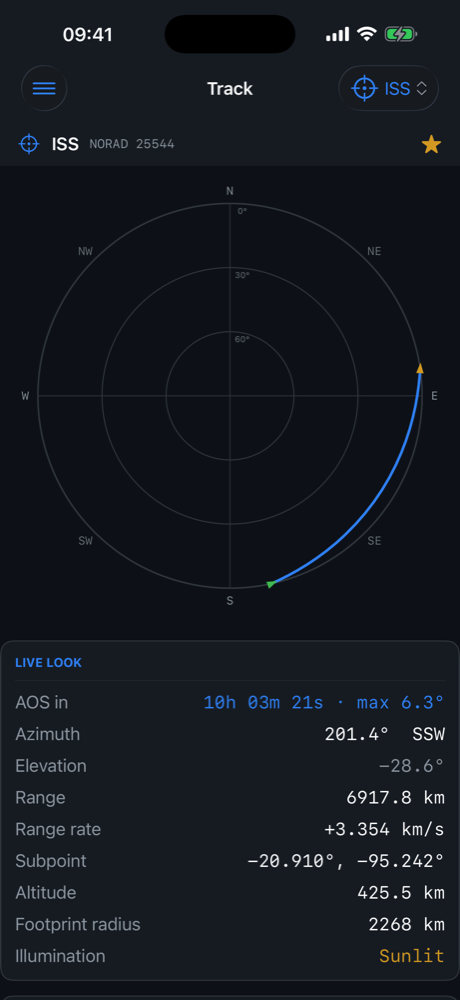
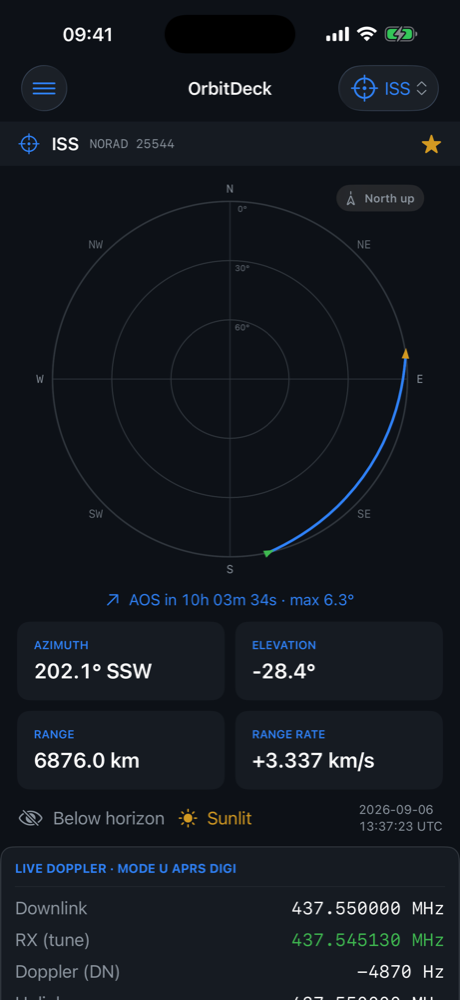
Track screen with a polar sky view of the pass
Track — polar sky view
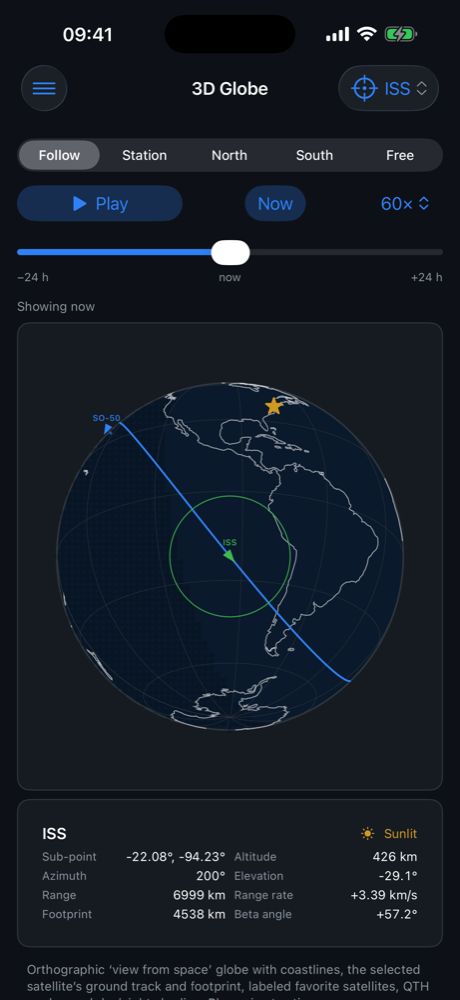
Animated 3D globe with the satellite ground track
3D globe
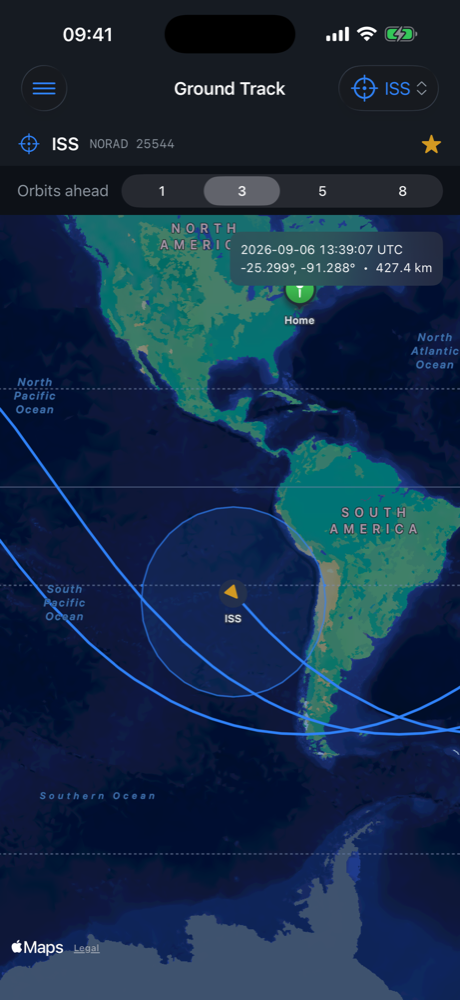
Ground-track map with footprint
Ground track
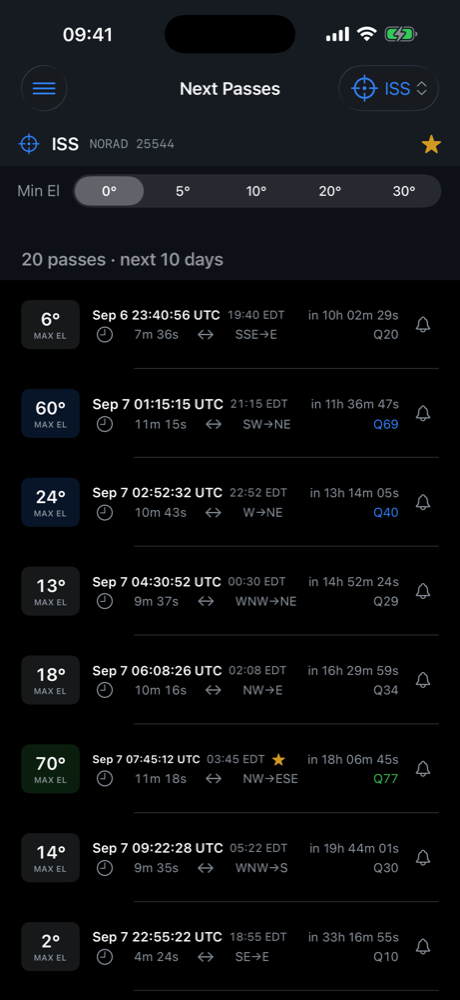
Next-pass predictions with quality scoring
Next passes
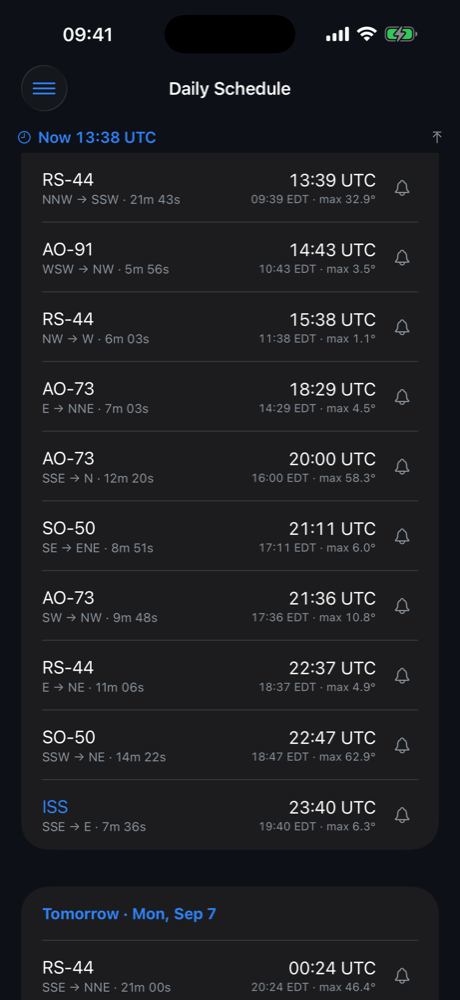
Daily schedule of every favorite's passes by day
Daily schedule
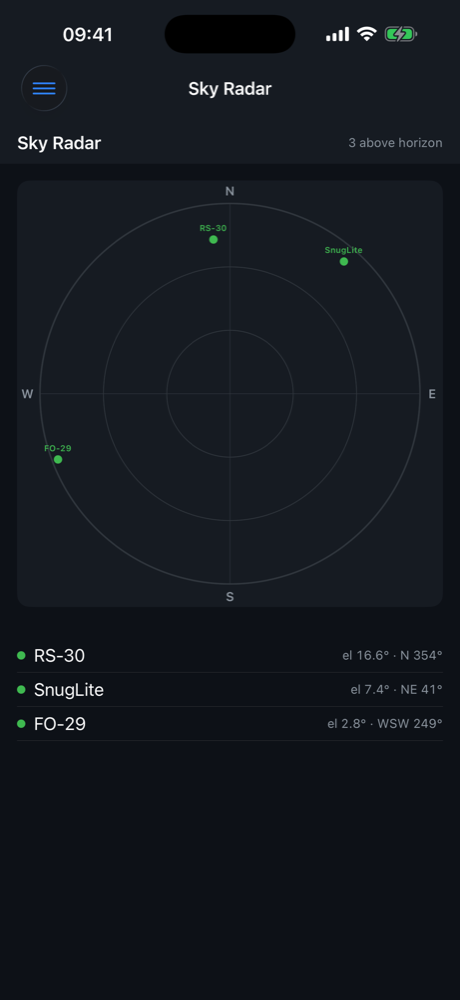
All-sky radar of every favorite satellite at once
All-sky radar

Everything the satellite operator needs

OrbitDeck computes passes, Doppler, footprints, and link budgets from live orbital elements, and runs natively on both iPhone and iPad. It is a companion to the OrbitDeck desktop app and CardSat by Paul Stoetzer, N8HM.

Track & predict

  • Live look angles, range, range-rate, sub-point and footprint
  • Next-pass predictions with quality scoring and elevation profiles
  • Daily schedule of every favorite's passes by day, ordered by AOS
  • Multi-day pass progression and a full ground-track map
  • All-sky radar of every favorite at once
  • 3D globe with animation and a polar sky plot with AOS/LOS and direction-of-travel arrows

Work the birds

  • Four-dial DX Doppler and a single-station Doppler playbook
  • Per-satellite calibration shared across every Doppler screen, with a bulk Calibrations editor and CSV import/export
  • Link budget with a per-elevation margin curve
  • SatNOGS transponder database, two-way transponders listed first
  • AO-7 A/B mode timer and mutual-visibility windows with paired sky plots

Rig control (CAT)

  • Doppler-tune your transceiver over a BLE serial adapter or Icom network (Wi-Fi)
  • Icom CI-V, Yaesu, Kenwood (incl. TS-2000/790 satellite mode and the TH-D74/D75 via the B.B. Link), and any Hamlib radio via rigctld
  • One full-duplex radio, a single uplink/downlink radio, or two radios
  • Follows your dial with the One True Rule; transverter, calibration and passband aware
  • Read the Rig Control guide

Rotator control

  • Steer an az/el rotator to follow the pass over a BLE serial adapter or the network
  • GS-232, Easycomm I/II/III, SPID Rot2Prog, SAEBRTrack, rotctld (Hamlib), PstRotator and OZ9AAR URC
  • Pre-position before AOS, slew lead, park on LOS, flip mode and 0–360 / ±180 / 0–450° ranges
  • Alignment offsets, magnetic correction, deadband and minimum-elevation gating
  • Read the Rotator Control guide

Logging & uploads

  • On-device QSO log with a Home quick-log card and a dedicated Log screen
  • LoTW upload — the .tq8 is signed on your device from your .p12 certificate
  • Cloudlog / Wavelog upload and ADIF import/export; automatic LoTW satellite naming
  • Read the Logging guide

Digital modes & audio

  • Record a pass, decode SSTV, and work full-duplex FT4 over USB (or network) audio
  • FT4 decodes the downlink while transmitting — live Doppler tune readout, automatic transponder calibration, PTT over CAT or a manual-PTT prompt
  • SSTV image gallery with export to Photos; FT4 via the MIT ft8_lib
  • Read the Digital Modes guide

Plan & analyze

  • Orbital analysis: elements, J2 nodal/apsidal rates, beta angle, eclipse fraction, LTAN
  • Equator crossings, Sun/Moon transits, illumination and orbital zones
  • Conjunction awareness and workable-grid discovery
  • State-vector → GP element recovery (TEME or J2000 input) with export

Station & grid squares

  • Set your station as a fixed site or follow the device's current location
  • Enter a location by latitude/longitude or by Maidenhead grid square
  • Save secondary sites, including from your current GPS position
  • VUCC grid-line and corner recognition per ARRL rules — every claimable grid shown
  • Live Grid Finder that guides you onto a grid line or corner with a compass arrow
  • Current DXCC, state and county (LoTW/TQSL names) while following your location
  • Times in UTC or your local zone, with both shown in pass lists

Propagation & space weather

  • MUF / HF path tool and a 6 m / HF operating outlook
  • Live space weather: solar flux and planetary Kp/A from NOAA SWPC, sunspot number from hamqsl.com (N0NBH)
  • Aurora likelihood and geomagnetic condition summaries

Classic OSCARLOCATOR

  • On-screen simulator (polar and QTH-centered) with minute-tick ground tracks
  • Printable OSCARLOCATOR overlays — base map, range circle and path arc
  • Reference Orbits schedule

Bench tools

  • 60+ calculators for antennas, feedline, RF, link and orbits
  • Receipt-tape scientific calculator with RF/orbit functions and metric prefixes
  • Graphing calculator with trace, roots, integral, table and CSV export
  • Maidenhead grid ↔ lat/lon converter, Tiny BASIC, DXCC lookup

Data, offline & export

  • Elements from CelesTrak and AMSAT, refreshed automatically
  • Respects CelesTrak's usage policy so you won't be rate-limited
  • Cached data keeps core features working offline
  • PDF and CSV/XLSX exports for passes, sites and overlays

Requirements

OrbitDeck runs on iPhone and iPad with iOS 17 or later. An internet connection is used to download orbital elements and space-weather data; once cached, core tracking works offline.

Please support AMSAT — the Radio Amateur Satellite Corporation — which builds and operates many of the satellites OrbitDeck is made to track.